I'm a musician first, engineer second. When I'm on stage, I don't just improvise everything from scratch. I have a setlist. I know where the breaks are, where the drops hit, and when to let the crowd breathe.
So when I started building this AI tool to turn websites into promo videos, I realized something: AI is a terrible improviser. If you just give it a URL and say "make a video," it's like a drummer playing a solo for 20 minutes. It's technically impressive, but nobody wants to listen to it.
I had to teach the AI how to follow a setlist. Here is how I did it.
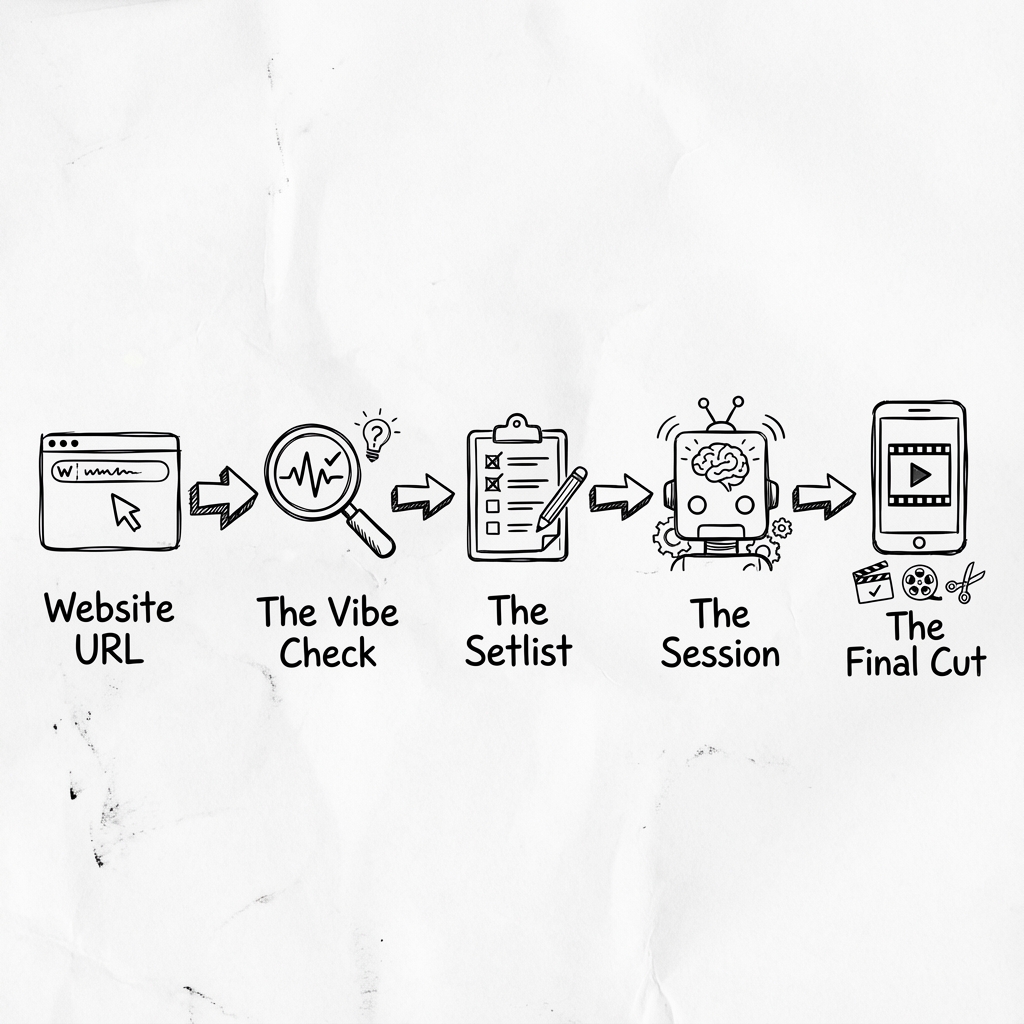
The Problem: Too Much Noise
A lot of tools these days are overcomplicated. You paste a link, and the AI goes off and hallucinates a bunch of corporate jargon. It doesn't feel right.
I realized that before we generate a single frame of video, we need to understand the rhythm of the business. Is it a high energy e-commerce shop? Or a chill local cafe? You can't play death metal at a wedding, and you can't put a techno beat on a funeral home website.
Step 1: The Vibe Check
First, we scrape the site. But I'm not just looking for text. I'm looking for the vibe.
We check the "Hero" section. What's the main hook? Who are they talking to? If it's a SaaS tool, I'm looking for the "Problem" they solve. If it's a portfolio, I'm looking for the "Work". It's pretty basic stuff, but if you get this wrong, the whole video feels off beat. (Powered by WebOrganizer (AllenAI) classifiers + PLM-GNN DOM parsing).
Step 2: Building The Blueprint (The Setlist)
This is the secret sauce. I don't let the AI write the script yet. First, I generate a Blueprint. (Powered by WebOrganizer (AllenAI) classifiers + PLM-GNN DOM parsing).
Think of this like a song structure: Intro Verse Chorus Bridge Outro.
For a video, it looks like this:
{
  "beats": [
    { "kind": "HOOK", "duration": 3, "style": "kinetic_text" },
    { "kind": "PROBLEM", "duration": 5, "style": "black_white_filter" },
    { "kind": "SOLUTION", "duration": 4, "style": "screen_capture" },
    { "kind": "CTA", "duration": 3, "style": "big_font" }
  ]
}
See? No script yet. Just timing. I'm telling the AI: "You have exactly 3 seconds to catch their attention. Make it count."
Step 3: The Jam Session
Now that we have the structure, we bring in the "Creative" layer (the LLM).
Because we locked down the structure, the AI can't ramble. It has to fit the lyrics to the beat. It writes a script that fits exactly into those 3 second slots. It's not perfect every time, but it's way better than let it run wild.
Step 4: Putting It Together
Finally, we render it. We match the voiceover to the visuals. We add the cuts. We make sure the audio levels are right. It's just like mixing a track. You tweak the EQ until it sits right in the mix.
Why I Built It This Way
I'm just a guy trying to make cool stuff that helps people. I see a lot of engineers getting lost in the complexity, trying to make the biggest, smartest model. But honestly? Sometimes you just need a better plan.
Structure beats raw power. rhythm beats complexity. And a good setlist beats a 20 minute drum solo every time.